Flutter Developers Are Entering the AI Testing Era
A Flutter app used to fail in ways mobile teams understood: a widget overflowed, an API returned 500, a release build crashed on Android 14, or App Store Review rejected a permission string. Now add a stranger failure mode: the app confidently invents a refund policy, summarizes the wrong medical note, or tells a user to delete the data they meant to back up.
That is the shift behind the growing interest in testing AI features in Flutter. A chatbot, document summarizer, code assistant, travel planner, or in-app “smart search” is not just another screen. It is a probabilistic product surface. It can be useful on Monday, subtly wrong on Tuesday, and expensive on Wednesday after a model update changes token usage.
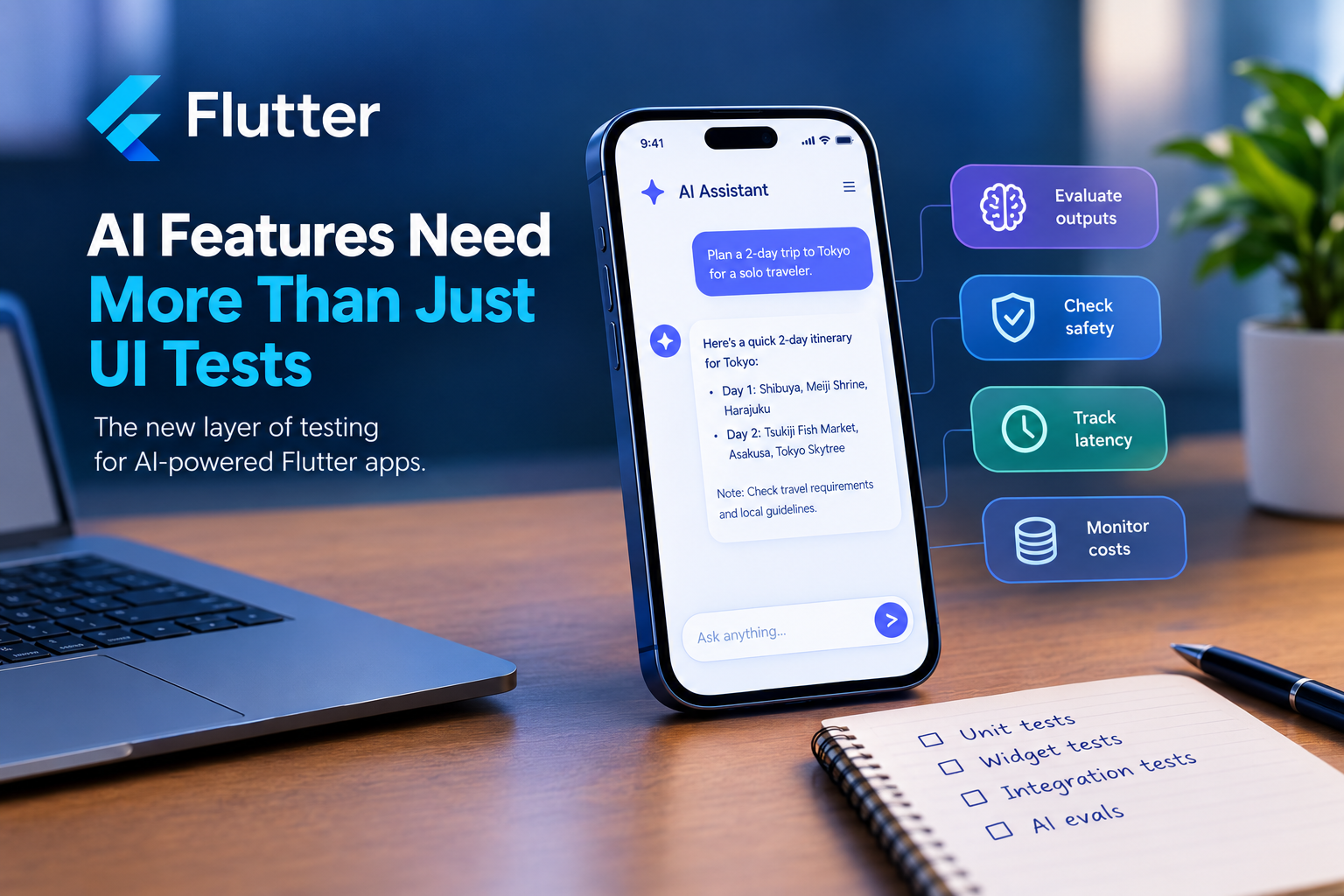
For mobile engineers, this means the skill set is widening. UI tests, release pipelines, analytics, app-store compliance, and crash monitoring still matter. But teams shipping LLM-powered features increasingly need evaluation skills: prompt regression tests, reference datasets, safety checks, latency budgets, cost tracking, and human review loops. The mobile developer is being pulled into the AI testing era.
Why normal Flutter testing is not enough
Flutter already has a mature testing story. Unit tests verify business logic. Widget tests catch UI behavior. Integration tests run flows on real devices or emulators. Golden tests help ensure pixels stay stable. Those layers are still essential, especially when AI is just one part of a larger mobile experience.
But AI features break the assumption that the same input always produces the same output.
Consider a Flutter recipe app with an AI meal planner. A normal widget test can confirm that tapping “Generate dinner plan” shows a loading state and then renders a list. A mocked API response can verify the UI handles three meals. But the most important questions sit beyond the widget tree:
- Did the model respect the user’s nut allergy?
- Did it invent ingredients not available in the pantry?
- Did it return valid JSON for the app to parse?
- Did it suggest unsafe food handling advice?
- Did the response stay short enough for a mobile screen?
- Did latency stay under three seconds on a spotty network?
Traditional tests answer, “Did the app behave as coded?” AI evaluation asks, “Was the answer good, safe, consistent, useful, and affordable?”
That distinction changes how Flutter teams design quality gates. You may still mock an LLM response for deterministic widget tests, but you also need a separate evaluation suite that sends representative prompts to the model and scores the outputs.
The new test pyramid includes evals
The emerging pattern is not to replace mobile testing, but to add an AI evaluation layer above it.
At the bottom, Flutter teams should keep deterministic tests. If an AI response is supposed to be parsed into a MealPlan model, write unit tests for the parser. If the backend returns malformed JSON, test the error state. If the user loses connectivity mid-generation, test retry behavior. These are classic engineering problems.
Above that, create contract tests for the AI boundary. For example, if the app asks an LLM to return structured data, require a strict schema:
{
  "title": "string",
  "summary": "string",
  "risk_level": "low|medium|high",
  "citations": ["string"]
}
Then test whether model outputs can be parsed, whether required fields are present, and whether enum values are valid. This protects the Flutter client from vague natural-language responses that look impressive but crash the app.
Next come prompt regression tests. Build a small dataset of real or realistic examples: 50 support questions, 100 user search queries, 30 edge cases, 20 unsafe requests. Run them whenever you change a prompt, swap models, or adjust retrieval logic. Track whether the new version improves or degrades performance.
For a travel app, sample prompts might include:
- “Plan a 2-day Tokyo itinerary for someone using a wheelchair.”
- “Find a beach trip under $700 from Chicago next month.”
- “Can I bring my prescription medication into Japan?”
- “Book the cheapest flight and ignore baggage fees.”
Each prompt needs expected qualities. Some can be scored automatically: JSON validity, presence of required disclaimers, maximum length, no banned terms, citation count, or latency. Others require human review: helpfulness, tone, factual accuracy, and whether the answer handles uncertainty correctly.
This is where mobile developers start borrowing from machine learning operations. Instead of asking only whether tests pass, teams ask whether the model version, prompt, retrieval data, and app UI together meet a measurable quality bar.
Mobile makes AI testing harder
LLM evaluation is already complex on the web. Mobile adds constraints that are easy to underestimate.
First, mobile users are impatient. A 10-second AI response may be acceptable in a desktop research workflow but feel broken in a consumer app. Flutter developers need to test streaming UI, partial responses, cancellation, retry states, and skeleton loading. If the user locks the phone or switches apps, what happens to the request?
Second, mobile networks are unreliable. AI features often involve large request and response payloads. Teams should test slow 3G, captive portals, timeouts, and duplicate submissions. A journaling app that sends the same private entry twice after a retry has a very different risk profile from a weather app refreshing a forecast.
Third, privacy expectations are higher because phones contain intimate data: contacts, photos, location, health signals, messages, and voice. If a Flutter app sends user content to an AI service, developers need clear consent flows, redaction, retention policies, and logs that do not leak sensitive prompts.
Fourth, app-store review can become part of AI quality. If an app markets medical, financial, education, or safety-related AI features, reviewers and regulators may care about claims, disclaimers, data usage, and whether the feature behaves as described. Testing is not only technical. It is also product risk management.
Finally, model updates can change behavior without a mobile release. That breaks a familiar mental model for app developers. In traditional mobile work, the binary submitted to the store is the artifact. With AI, the shipped experience may depend on a hosted model, a system prompt, a vector database, and a moderation layer that can all change independently.
What Flutter teams should start doing now
The practical move is to treat AI features as product systems, not API calls.
Start by isolating the AI layer. Put model calls behind a service interface so the Flutter app can use mocks for UI tests and real providers for eval runs. This keeps widget tests fast and deterministic while preserving a path to test live model behavior.
Create an evaluation dataset early. Do not wait for launch. Use product requirements, support tickets, beta feedback, and adversarial examples. Include ordinary requests and uncomfortable edge cases. If your app has a writing assistant, test vague prompts, toxic prompts, multilingual prompts, and prompts that ask for copyrighted or personal data.
Define scoring rules before you fall in love with demos. A good evaluation rubric might include:
- Task completion: did the response solve the user’s problem?
- Grounding: did it use provided documents rather than inventing facts?
- Format: did it return valid structured output?
- Safety: did it refuse or redirect harmful requests?
- UX fit: was it concise enough for a phone screen?
- Performance: did it meet latency and cost targets?
Then automate what you can. Run evals in CI when prompts change. Track results over time. Store model name, prompt version, temperature, retrieval configuration, and test dataset version. If a release gets worse, you need to know why.
Most importantly, connect evals to mobile observability. Crash-free sessions will not tell you whether an AI answer was wrong. Add user feedback controls, thumbs-up/down signals, escalation paths, and sampled review queues. Monitor refusal rates, regeneration rates, abandoned flows, latency, and token cost.
Conclusion: the Flutter role is expanding
Flutter developers do not need to become research scientists to ship AI features well. But they do need to understand that AI quality is different from UI correctness. The output is variable. The failures can be subtle. The dependencies can change outside the app binary.
The next generation of mobile engineering will blend classic app craft with evaluation discipline. The best Flutter teams will still obsess over smooth animations, reliable navigation, accessibility, and store-ready releases. They will also maintain prompt test suites, measure hallucination risk, validate structured outputs, and know when a model update should block a rollout.
AI is becoming part of the mobile interface. Testing it is becoming part of the mobile job.